Threat domains stopped early
Managed phishing and malware-domain sources can block a known risky hostname before a browser or application reaches it.
Protective DNS evaluates a requested domain before a device reaches its destination. QueryWarden applies managed threat-domain sources, account policy, and custom decisions at that point, then records only the activity allowed by the active privacy setting.
Protective DNS can stop a known risky destination before a connection is made, without inspecting content at that destination. It is useful across devices and networks, but its view is deliberately narrower than endpoint or content security.
Each capability below reflects the current public product, with beta and compatibility limits called out separately.
Managed phishing and malware-domain sources can block a known risky hostname before a browser or application reaches it.
Profiles, service and category controls, schedules, and custom rules determine which decision applies to each configured endpoint.
Retained query events can show the recorded result and its decision source without treating every detection as proof of compromise.
A profile can keep full domain history, retain anonymized aggregate activity, or turn new domain-level logging off.
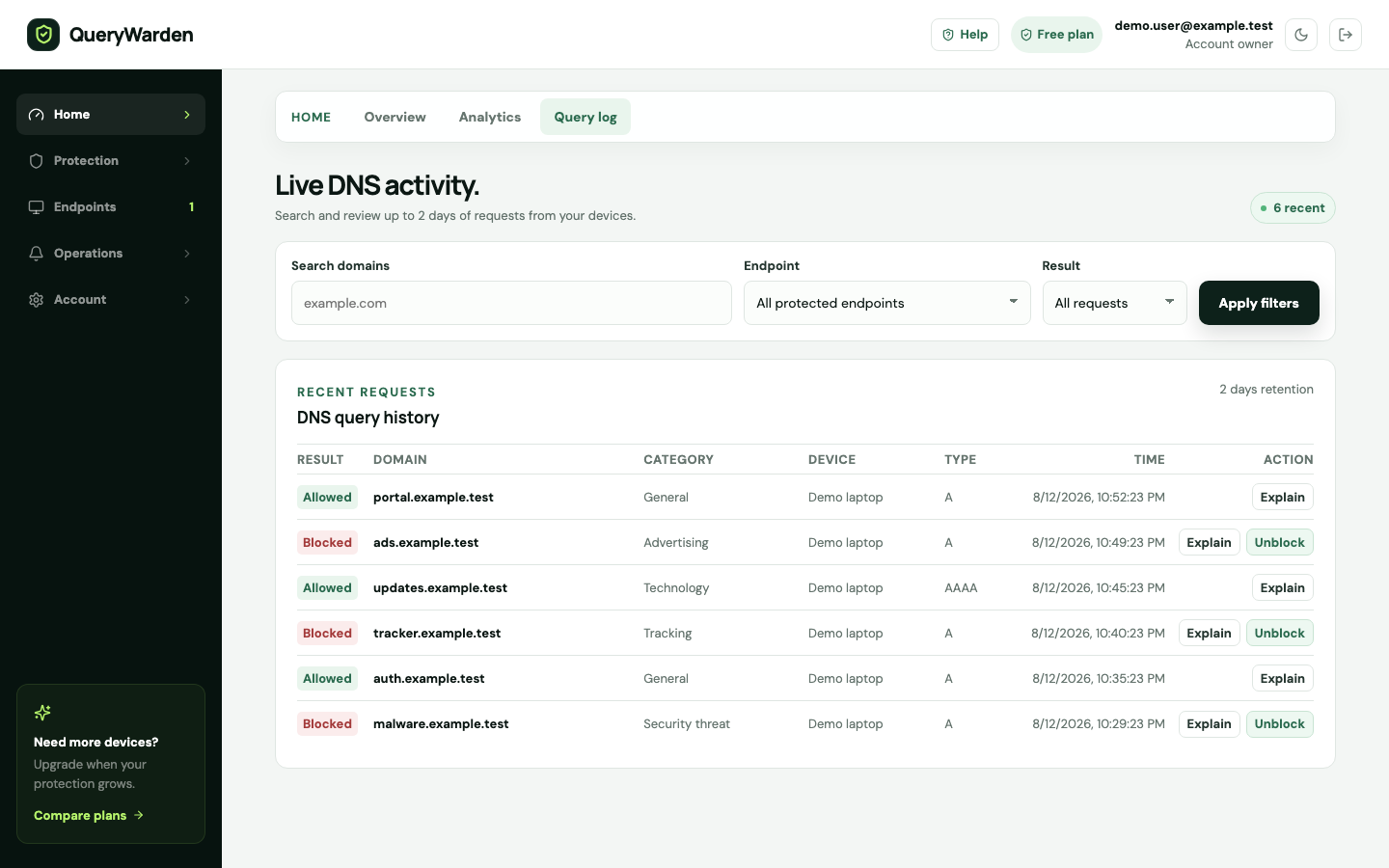
The current Query Log makes the recorded result visible when the active profile retained enough detail. This example uses synthetic activity so the workflow can be shown without exposing a person’s browsing history.
 Open full-size screenshot
 The .test namespace is reserved for examples. The device and hostname shown here are deterministic fixture data, not a customer event.
The row reports what QueryWarden recorded at resolution time. A blocked request is a useful signal, not proof that the device was compromised.
Explain identifies retained historical evidence and separately shows rules that match the hostname now, avoiding a rewritten version of the past.
QueryWarden applies policy at the recursive DNS layer, before a supported client connects to the requested domain.
A compatible client sends the DNS question through its private QueryWarden DNS-over-HTTPS endpoint.
Endpoint authorization, profile settings, custom rules, service controls, and managed protection sources are evaluated for the request.
A blocked destination receives the configured blocking response; an allowed request continues through validated recursive resolution.
Full, anonymized, or off logging determines what, if anything, becomes durable activity for later review.
The DNS decision is valuable evidence at one layer of a connection, not a complete account of device or content safety.
Published and reviewed by QueryWarden Engineering, Digiport OÜ. First-party review against the current public QueryWarden product, its documented deployment constraints, and the primary sources listed on this page. This is not an independent audit, certification, approval, or endorsement.
Product screenshots are deterministic captures of the current interface using synthetic accounts, devices, and reserved .test domains. External sources explain protocols and industry guidance; they do not verify QueryWarden implementation claims.
Last reviewed . Product availability can change; dashboard capability labels remain the source of truth. Review our Security & Trust disclosure.These primary sources support the general technical context. Citing them does not mean their publishers evaluated, approved, or endorsed QueryWarden.
No. Protective DNS makes decisions about domain resolution. A network firewall can also control addresses, ports, protocols, and connection state, while endpoint tools can inspect behavior on the device.
It can block a hostname already identified by the applicable protection sources or policy before the destination connection. It cannot guarantee detection of every new, compromised, or same-domain phishing page.
No. Protection happens in the live resolution path. Each profile separately chooses Full, Anonymized, or Off domain-level logging for durable history.
The available Free plan protects one compatible device with one profile and up to 48 hours of history when full logging is selected.