Managed domain decisions
Active ad and tracker sources can block a matching third-party hostname before the browser, app, television, or other configured client connects to it.
QueryWarden applies managed ad and tracker domain sources in the DNS resolution path used by a configured endpoint. This can prevent a matching third-party hostname from resolving, while profiles, schedules, and scoped rules keep the policy visible and adjustable.
Many advertisements and trackers load from hostnames that are separate from the page or application a person wants to use. When one of those hostnames matches active policy, QueryWarden can return a DNS block instead of an address for the destination.
Each capability below reflects the current public product, with beta and compatibility limits called out separately.
Active ad and tracker sources can block a matching third-party hostname before the browser, app, television, or other configured client connects to it.
Protection, schedules, service controls, custom rules, and privacy choices stay attached to the profile assigned to each available endpoint.
When Full history is active and the event is still retained, the Query Log can show the recorded DNS result and its decision source.
An account owner can preview a hostname and create an exact or deliberate subdomain allow rule for the selected audience and duration.
The current protection-profile workspace keeps managed ad and tracker controls beside schedules, privacy, other DNS protections, and endpoint assignment. The synthetic example shows the available policy surface without claiming that one setting can remove every ad.
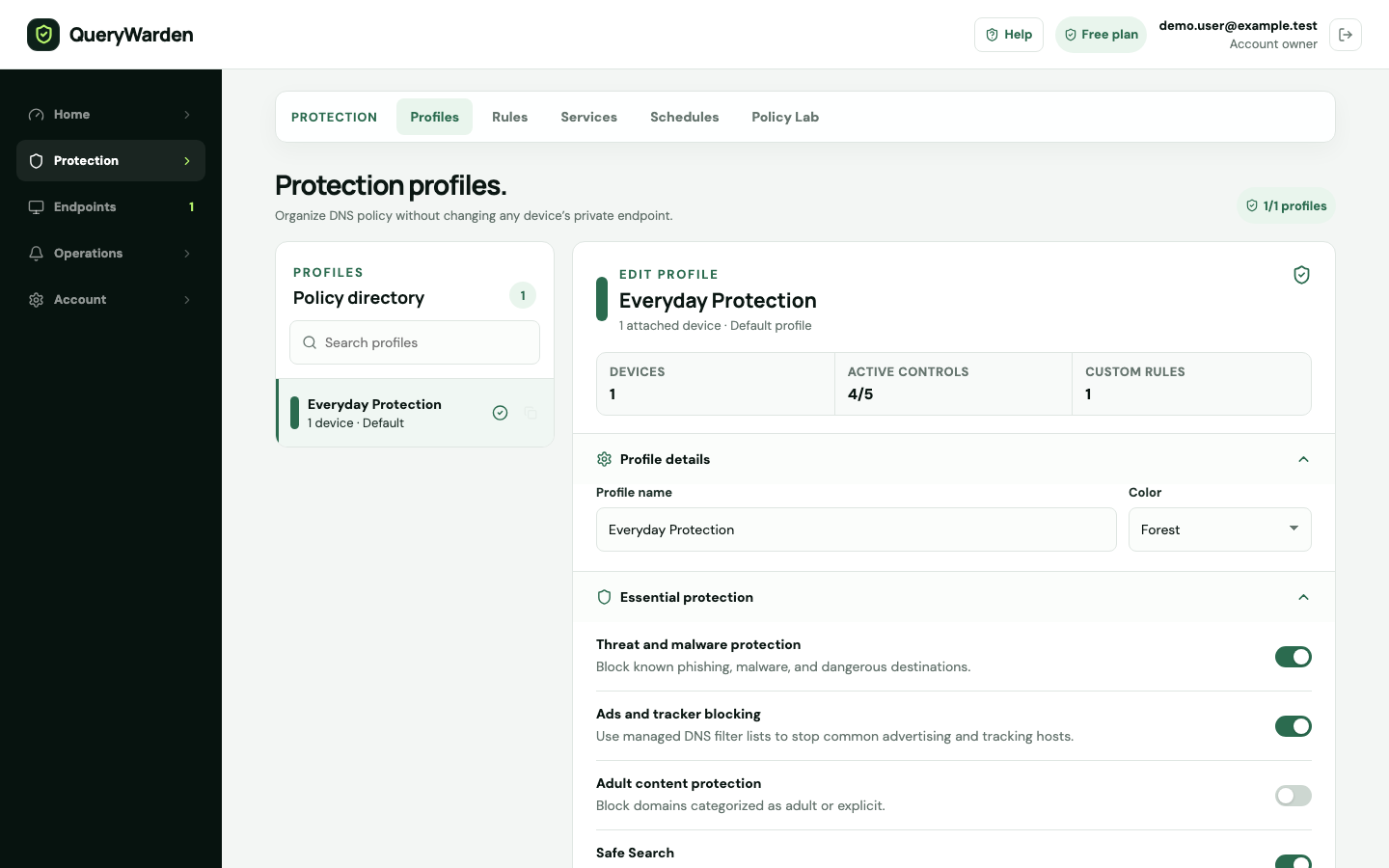 Open full-size screenshot
 The profile can enable managed domain sources. A block occurs only when the requested hostname matches policy active for that endpoint.
The device-to-profile relationship determines which protection, schedule, custom-rule, and privacy choices apply to a direct endpoint.
When a block disrupts wanted functionality, Domain Rules can preview the current decision before an exact or subdomain exception is considered.
QueryWarden applies policy at the recursive DNS layer, before a supported client connects to the requested domain.
Create a device, assign its intended profile, and install the complete private QueryWarden DNS-over-HTTPS URL in a compatible client.
Choose the managed protection settings for that profile and add a timezone-aware schedule only when the policy should vary by time.
When the configured device requests a domain covered by active policy, the resolver returns the blocking response before that destination connection begins.
Use fresh test traffic and eligible retained evidence to identify the hostname, preview its effective policy, and prefer the narrowest useful exception.
The control works at hostname resolution. It does not inspect the page, application interface, media stream, browser DOM, or complete URL behind an allowed domain.
Published and reviewed by QueryWarden Engineering, Digiport OÜ. First-party review against the current public QueryWarden product, its documented deployment constraints, and the primary sources listed on this page. This is not an independent audit, certification, approval, or endorsement.
Product screenshots are deterministic captures of the current interface using synthetic accounts, devices, and reserved .test domains. External sources explain protocols and industry guidance; they do not verify QueryWarden implementation claims.
Last reviewed . Product availability can change; dashboard capability labels remain the source of truth. Review our Security & Trust disclosure.These primary sources support the general technical context. Citing them does not mean their publishers evaluated, approved, or endorsed QueryWarden.
No. QueryWarden currently provides a private, rotatable DNS-over-HTTPS URL for each direct endpoint rather than public plain-DNS IP addresses. The configured endpoint receives the ad, tracker, threat, service, custom-rule, and privacy policy assigned to its profile.
No. It can prevent requests to hostnames that match active policy. It cannot reliably separate an ad, tracker, or unwanted path served from the same allowed hostname as wanted content, and it does not modify page layout.
Generate fresh traffic through the intended endpoint, review eligible Query Log evidence, and preview the hostname decision. If an exception is justified, use the narrowest hostname match, audience, and duration that restores the required feature.
The available Free plan protects one device with one profile and up to 48 hours of history when Full logging is selected.