Prepare the safe path
- Identify the exact hostname from Query log when possible.
- Understand whether the requirement applies to one device, one profile, or the whole account.
1 Preview the current decision
In Rules, choose a device and enter the hostname. Policy preview reports whether the destination is currently allowed or blocked and identifies the deciding source when available.
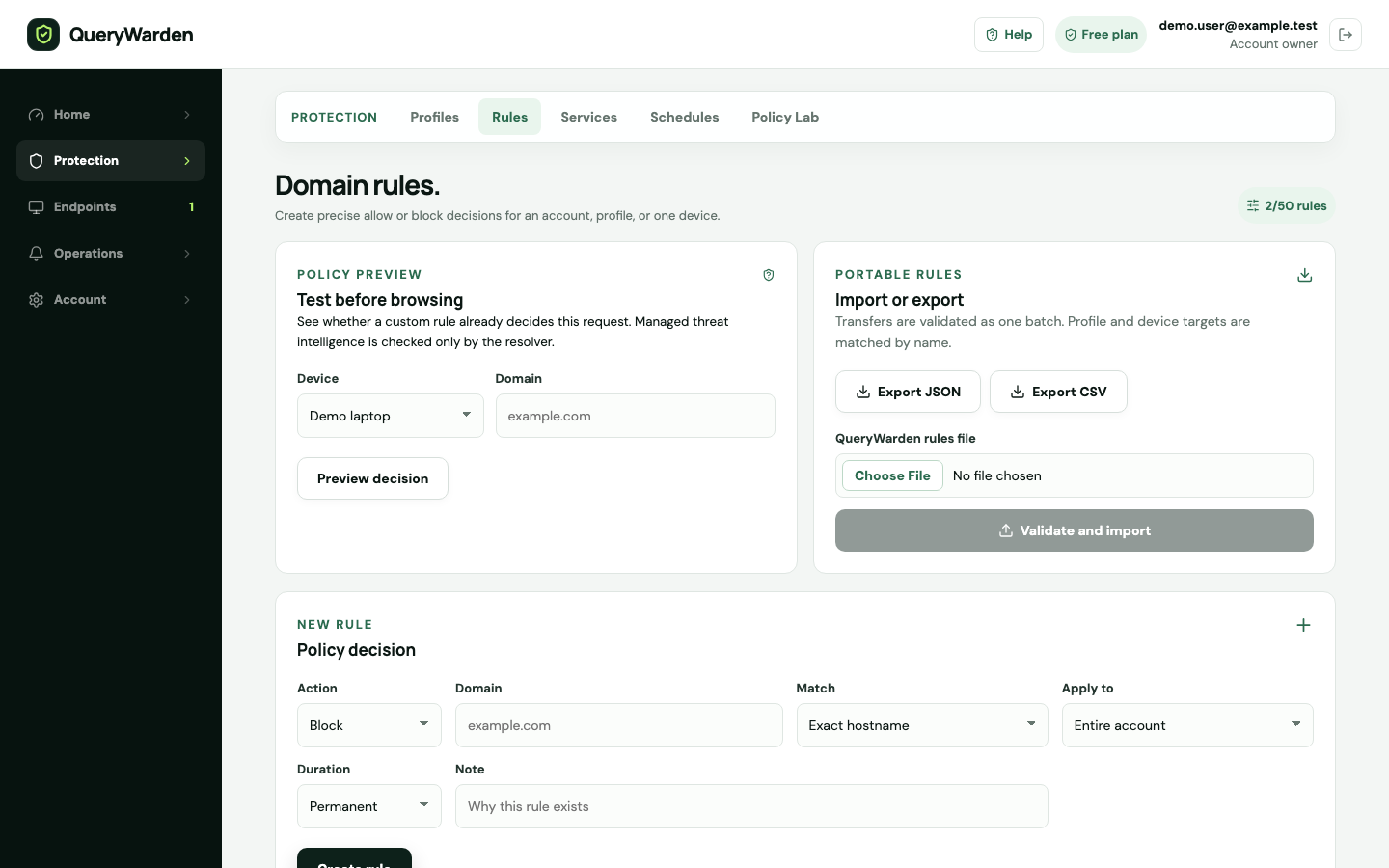
Preview the effective decision, then create the narrowest rule that solves the requirement. 2 Choose allow or block
Use Allow for a deliberate exception and Block for a custom restriction. An allow rule should be treated as a security decision, not a generic fix for every broken page.
3 Choose hostname scope
Exact hostname matches only that name. Subdomains only matches names below the domain but not the parent. Domain and subdomains matches both the parent and names below it.
4 Choose audience and duration
Prefer one device over one profile, and one profile over the entire account, when that scope is sufficient. Temporary durations are safer for diagnostics; permanent rules require ongoing ownership.
5 Create from a blocked request when appropriate
Query log can open a Safe exception dialog for a retained blocked hostname. Review the suggested parent, match scope, audience, and duration before saving.
Confirm the result
New matching requests use the effective rule selected by QueryWarden policy evaluation. Historical events remain unchanged.
Protect the account while you work
- Do not allow a broad parent domain merely because one embedded hostname is needed.
- Organization-managed policy can prevent a personal exception or take precedence according to the managed policy boundary.
When the expected result does not appear
The rule does not match.
Compare the exact requested hostname, match scope, audience assignment, expiry, and current device profile.
A broader rule behaves unexpectedly.
Use Explain on a new query to inspect the effective decision and currently matching policy.
The Unblock action is unavailable.
The event may be anonymized or the account may be controlled by managed policy. Use an authorized policy workspace instead.