Prepare the safe path
- The profile must retain enough detail for the hostname to appear. Anonymized or disabled logging intentionally limits what is visible.
- The Free retention window is up to 48 hours, and a profile can shorten it.
1 Open Home and Query log
Use search to match a domain and Result to show all, allowed, or blocked requests. Refresh when testing a new setup or rule.
2 Read the row in context
Result shows the recorded outcome. Domain may be absent or private under anonymized logging. Category, device, query type, and time help distinguish the request from similar activity.
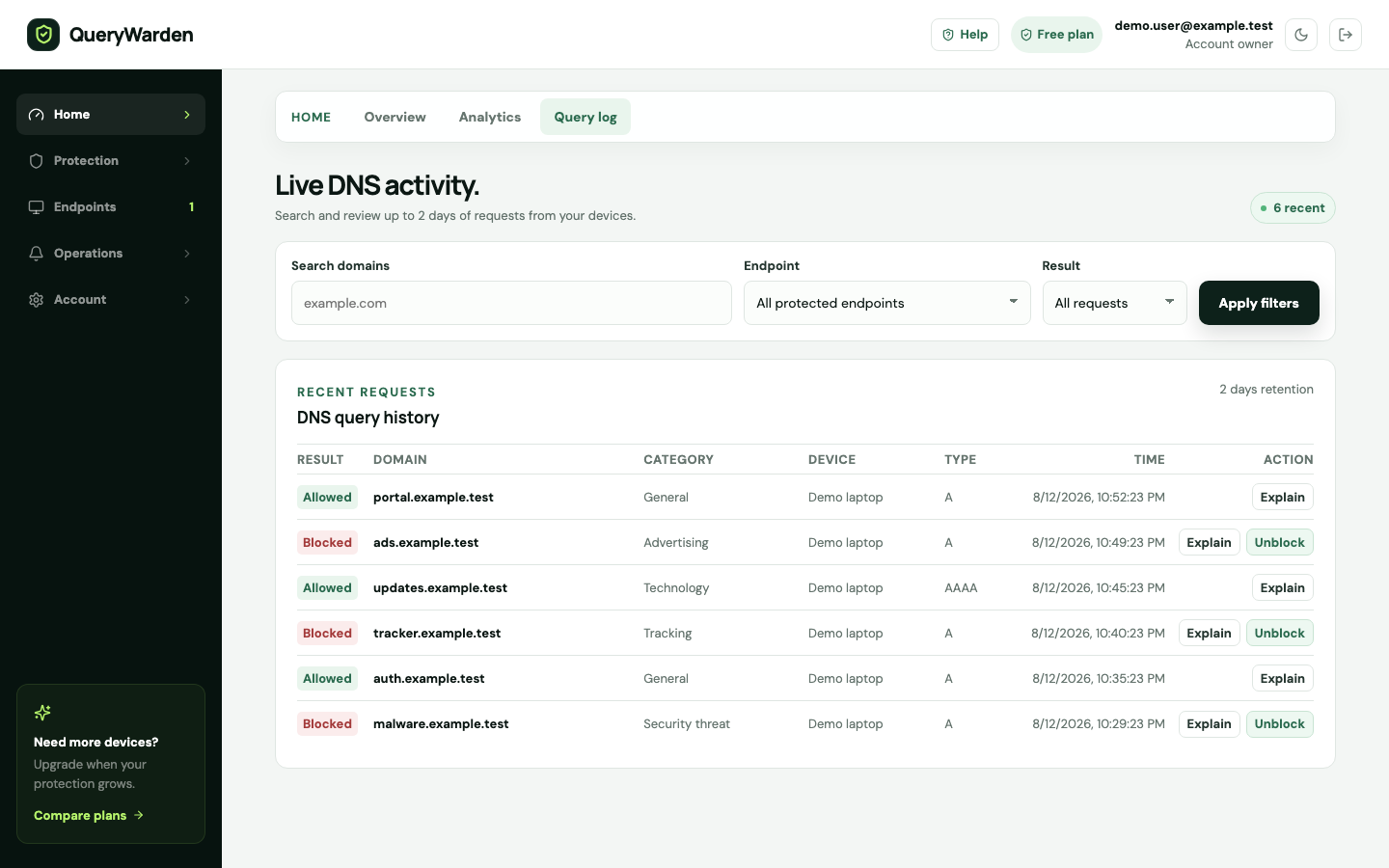
The Query log shows retained activity and opens evidence for an individual DNS decision. 3 Choose Explain
The explanation dialog shows the retained event evidence and the source QueryWarden associated with the decision, such as a custom rule, service policy, parental protection, Safe Search, threat protection, filter list, or resolver result.
4 Separate historical evidence from current policy
The dialog can show the policy revision recorded with the event and the rules matching that hostname now. A later rule does not rewrite the historical result.
5 Create a narrow exception only after review
For an eligible blocked hostname, use Unblock to open the Safe exception dialog. Confirm scope, audience, and duration rather than automatically allowing the broadest parent.
Confirm the result
You can identify the affected device and time, understand the evidence available, and choose whether a policy change is justified.
Protect the account while you work
- Query history can reveal sensitive destinations. Share only the minimum sanitized details required for support.
- An explanation reports product evidence; it does not prove that an allowed domain is trustworthy.
When the expected result does not appear
No hostname is visible.
Check the profile logging mode and Privacy Receipt. Anonymized events intentionally exclude domain detail.
A new rule is not reflected in an old event.
Generate a new request. Existing history remains tied to the original decision and policy revision.
Explain is temporarily unavailable.
Refresh the log and retry. If the event has aged out of retention, its supporting evidence may no longer exist.