Prepare the safe path
- Free currently includes one profile; manually managed plans can expose more according to their limits.
- Organization-managed policy can lock some personal controls. The dashboard identifies managed decisions.
1 Open Protection and Profiles
The directory shows every available profile, its color, assigned-device count, and default state. Select a profile to inspect its current effective settings.
2 Create or duplicate a profile
Use Create a recommended policy for a new profile, or duplicate an existing profile when you need a similar starting point. Give each profile a name that describes its audience rather than a real person.
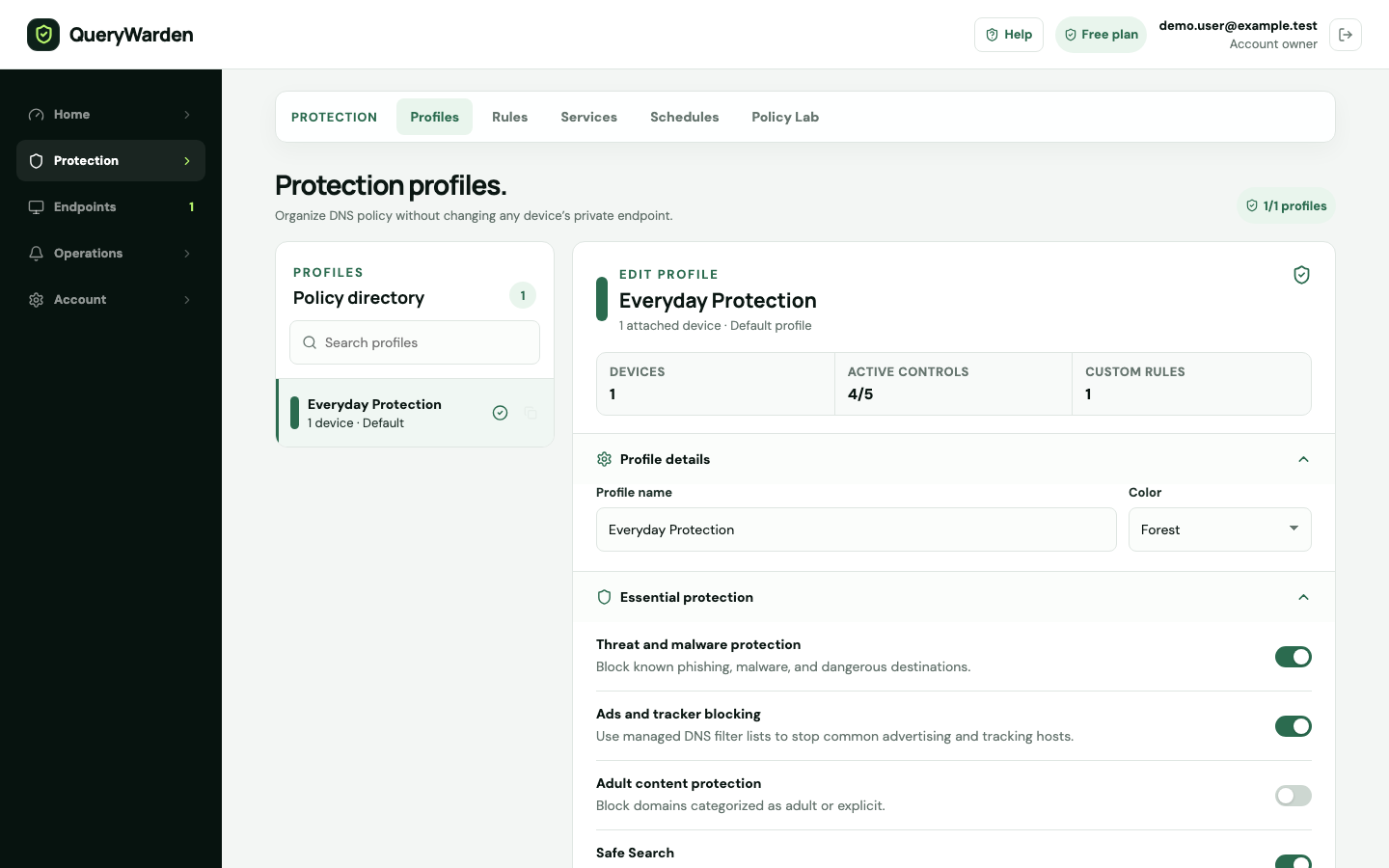
Profiles keep device assignments, protection settings, and privacy choices together. 3 Configure essential protection
Review filtering, threat blocking, parental protection, and Safe Search. Keep threat blocking enabled unless a controlled test or documented requirement justifies a different choice.
4 Review privacy and sources
Choose full, anonymized, or disabled domain logging and an allowed retention window. Inspect protection-source freshness before treating a policy as fully current.
5 Assign devices and save
Move devices to the profile from Devices or the related controls. Reassignment keeps the device endpoint unchanged; new requests use the destination profile.
Confirm the result
Assigned devices use the saved profile for new DNS decisions, while prior query history retains the decision recorded at that time.
Protect the account while you work
- Do not name public screenshots after real household members, employees, or customers.
- Disabling domain logging reduces visibility available to Query log, Policy Lab, and incident evidence.
When the expected result does not appear
A control cannot be changed.
The account may have a centrally managed organization policy or insufficient role permission.
A profile cannot be deleted.
Move assigned devices and preserve at least the required/default profile before deleting it.
An older query shows the previous decision.
History is evidence of what happened then. Profile changes apply to new requests and do not rewrite retained events.