Prepare the safe path
- Changing privacy settings affects future collection and retention behavior; it does not invent missing history.
- Reduced detail also limits explanations, Policy Lab analysis, incident evidence, and migration validation.
1 Open Account and Privacy
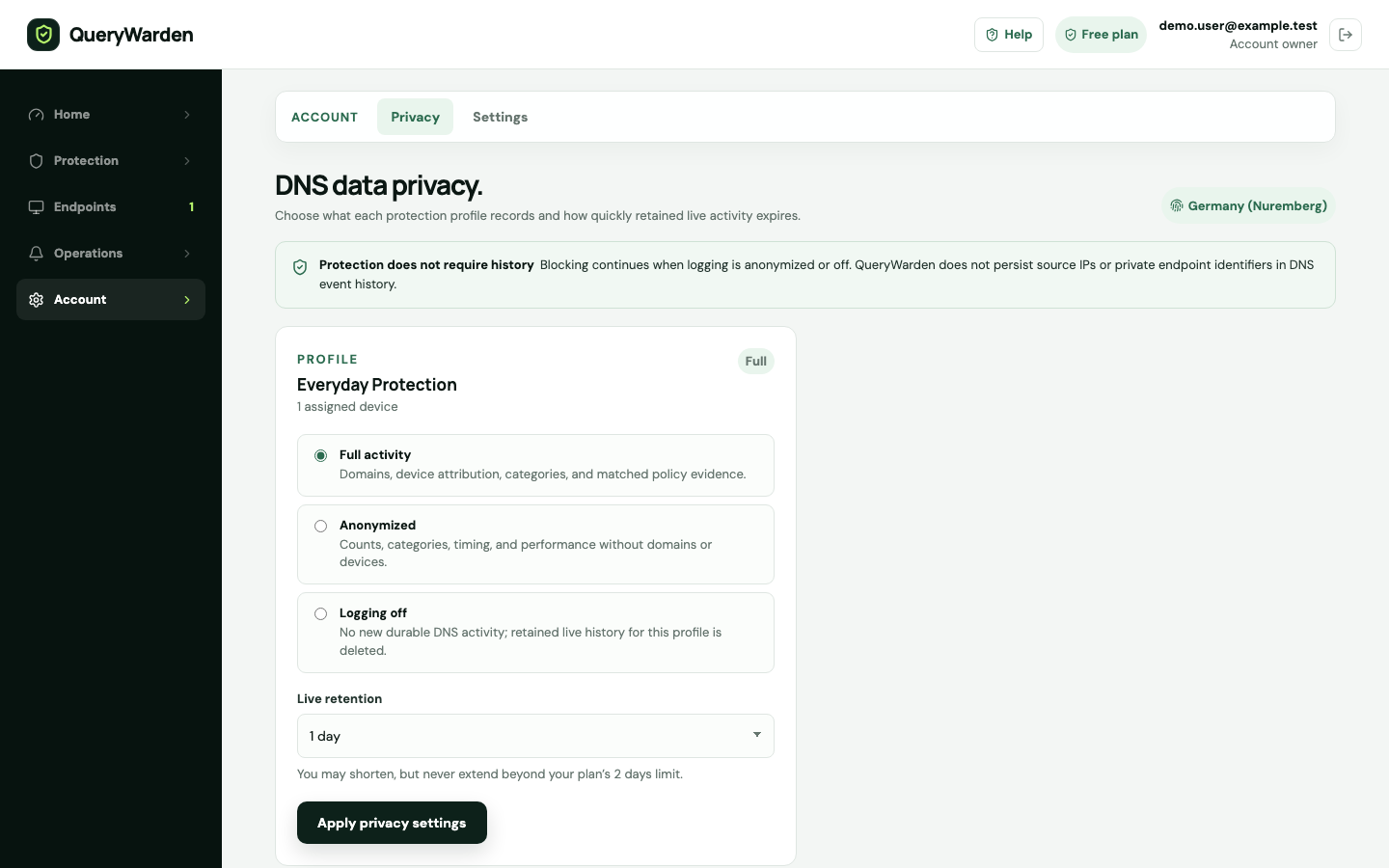
Review each profile listed in DNS data privacy. The card identifies its current logging mode and available live retention choice.
2 Choose the minimum useful logging mode
Full logging retains eligible domain detail. Anonymized mode preserves aggregate activity without the hostname. Off disables domain-level history for that profile.
3 Shorten retention when appropriate
Choose a supported duration no longer than the account plan window. Free keeps no more than 48 hours, and a profile can use less.
The Privacy Receipt reports the effective logging and retention state for the account. 4 Read the Privacy Receipt
Confirm the generated receipt describes the account-wide and per-profile effective settings, including profiles with shortened or disabled history.
Confirm the result
New DNS activity follows the saved profile privacy choice, and the Privacy Receipt reflects the effective configuration.
Protect the account while you work
- QueryWarden states that DNS queries are not sold or used to build advertising profiles.
- Screenshots and support tickets should use anonymous fixture domains rather than real browsing history.
When the expected result does not appear
Analytics totals and query rows differ.
Aggregate metrics can remain available when domain detail is anonymized or disabled. Check the effective logging mode.
A profile offers a shorter window than the account.
This is an intentional privacy control. The shortest configured profile retention can differ from the plan maximum.
An older event disappeared.
It may have aged out under the active retention policy. Retention is not an archive guarantee.